Open-source music player for Raspberry Pi, NAS and desktopYour music, played straight to the DAC.
A self-hosted, bit-perfect music player written in Rust. Run it on a Raspberry Pi, NAS or home server and control it from any phone or browser, or install it as a desktop app on Linux, macOS, Windows and Android.
- 01SourceLocal disks, SMB/NFS shares, radio, podcasts
- 02DecodeSymphonia: FLAC, MP3, AAC, DSD, APE
- 03DSPParametric EQ, filters, presets
- 04LoudnessEBU R128 per-song normalization
- 05ResampleOnly when the DAC needs it
- 06Outputcpal to ALSA, PipeWire, CoreAudio, WASAPI, ASIO
One player, wherever your speakers are.
The same engine and the same web interface in every package. Pick the one that matches where the music plays.
Server
Runs in the background on an always-on box wired to your DAC. Every phone, tablet and laptop in the house becomes a remote.
Debian · Fedora · Arch · macOS · Windows
Desktop app
A normal app window on the computer you use, with tray icon, media keys and bit-perfect output to a USB DAC.
macOS DMG · Windows installer
Android
The full player runs inside the app. Music in the phone's Music folder plays offline, with lock-screen controls.
Android 8.0 and newer
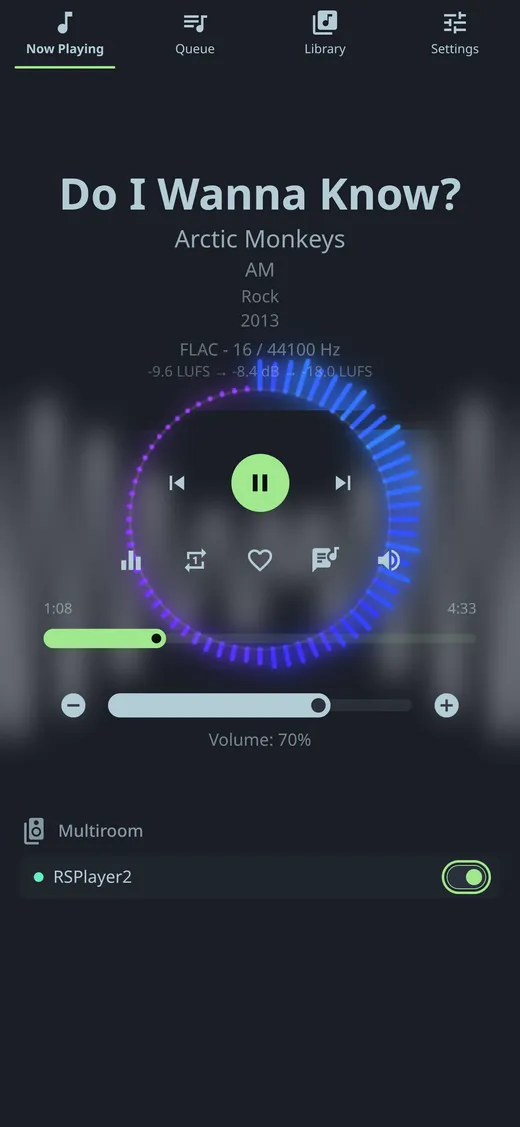
Every room on the same beat.
Group RSPlayer devices on your network and they play in sync, each with its own volume and EQ. No cloud account, no subscription.
- Automatic discovery on the LAN
- Encrypted QUIC streaming, millisecond-level sync
- A Pi Zero W is enough for a follower room

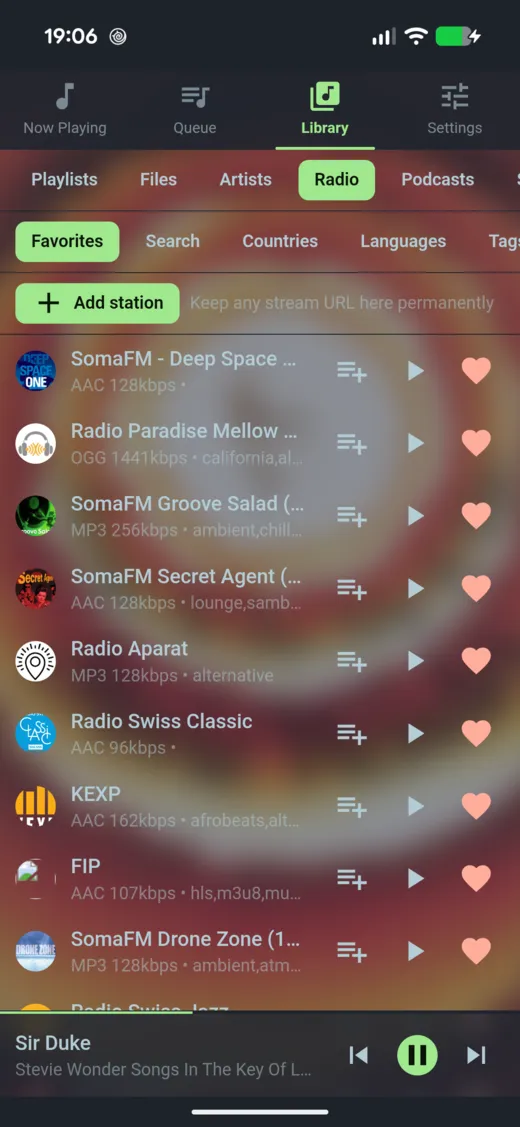
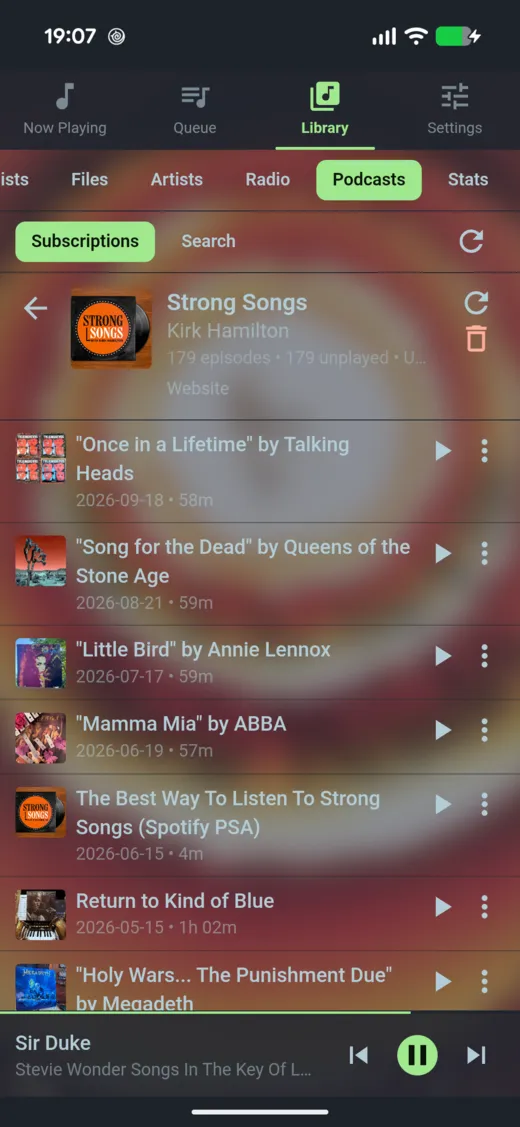
Live radio and your shows, next to the library.
Search thousands of internet radio stations and the Apple Podcasts directory, or paste an RSS feed. Episodes resume where you stopped.
- Next and Previous switch between favorite stations
- New episodes fetched in the background
- Your queue stays where you left it
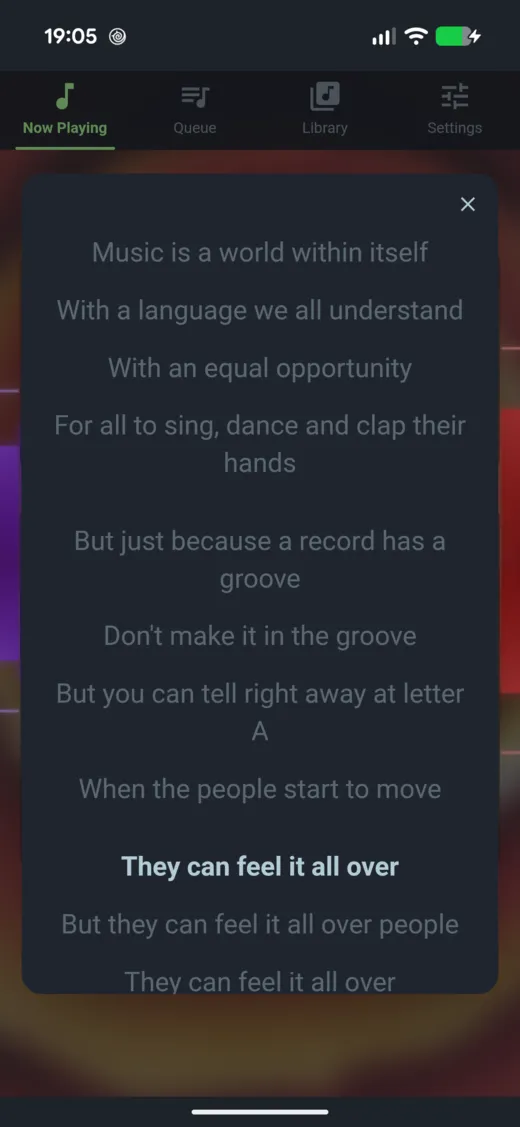
Sound you can tune, lyrics you can follow.
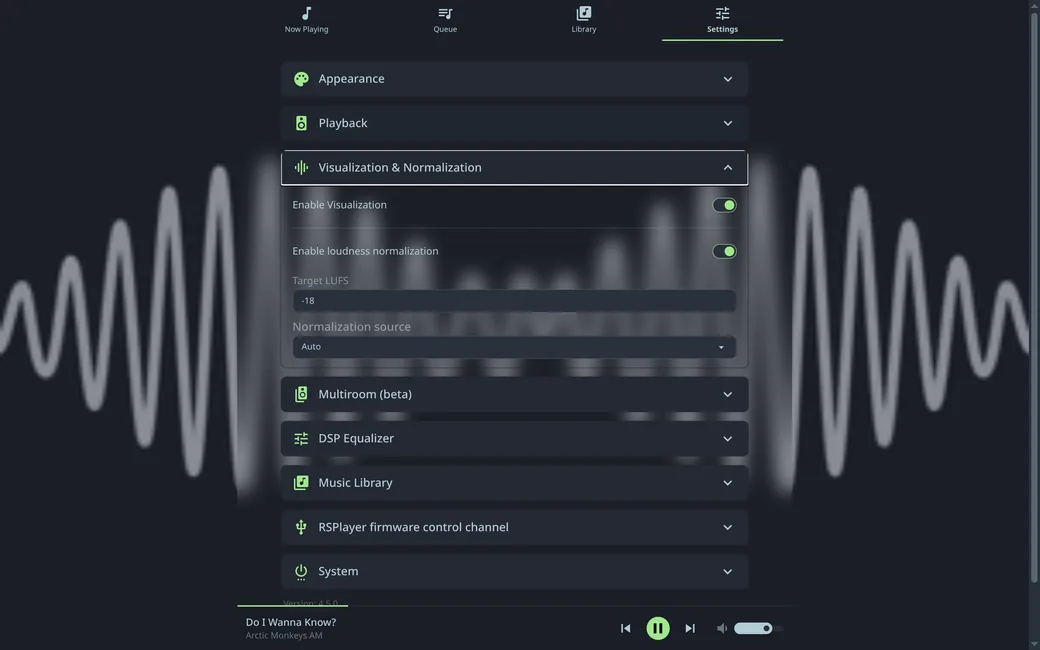
A built-in parametric EQ, loudness matching across albums, synchronized lyrics, 12 visualizers and 10+ themes. Keyboard shortcuts for everything.
Playing in two minutes.
Linux packages come from a signed apt and dnf repository, so updates arrive with your normal system upgrade.
Debian, Ubuntu, Raspberry Pi OS, Fedora and Arch on x86_64, ARM and RISC-V:
$ bash <(curl -s https://raw.githubusercontent.com/ljufa/rsplayer/main/install.sh)Then open http://raspberrypi.local (or the device's IP) in a browser.
Native package for Debian, Ubuntu, Fedora or Arch. On apt and dnf systems it updates with your normal system upgrade:
$ bash <(curl -s https://raw.githubusercontent.com/ljufa/rsplayer/main/install_desktop.sh)Ubuntu Snap:
$ sudo snap install rsplayerFlatpak, on any distribution:
$ flatpak install https://ljufa.github.io/rsplayer-flatpak/io.github.ljufa.rsplayer.flatpakrefMount your music folder and pass the sound device through:
$ docker run -p 8000:80 -v ~/Music:/music -v rsplayer_data:/opt/rsplayer --device /dev/snd ljufa/rsplayer:latestDownload the server binary, the macOS DMG, the Windows installer or the Android APK from the latest GitHub release. On Windows, ASIO drivers show up in Settings.
An open-source alternative to Volumio, moOde and MPD.
Everything built in, nothing behind a paywall.
| Feature | RSPlayer | Volumio | moOde | MPD |
|---|---|---|---|---|
| Parametric EQ / DSP | Built in | Paid tier | CamillaDSP | Plugins |
| Multiroom | Built in | Paid tier | Yes | Plugins |
| EBU R128 loudness | Yes | No | No | No |
| Synchronized lyrics | Yes | No | No | No |
| Desktop and Android app | Yes | No | No | No |
| RISC-V 64 | Yes | No | No | No |
| License | MIT | GPL | GPL | GPL |
Full comparison with Roon, Navidrome, LMS, Daphile and piCorePlayer.